Itch.io: https://matchagatcha.itch.io/3d-unnamed-platformer
Genre : 3D-Platformer Prototype
Development Tools : Unity, PlasticSCM
Team Size : 2 Members
Role: Game Designer, Programmer, VFX Artist
Development Time : ~ 6 weeks
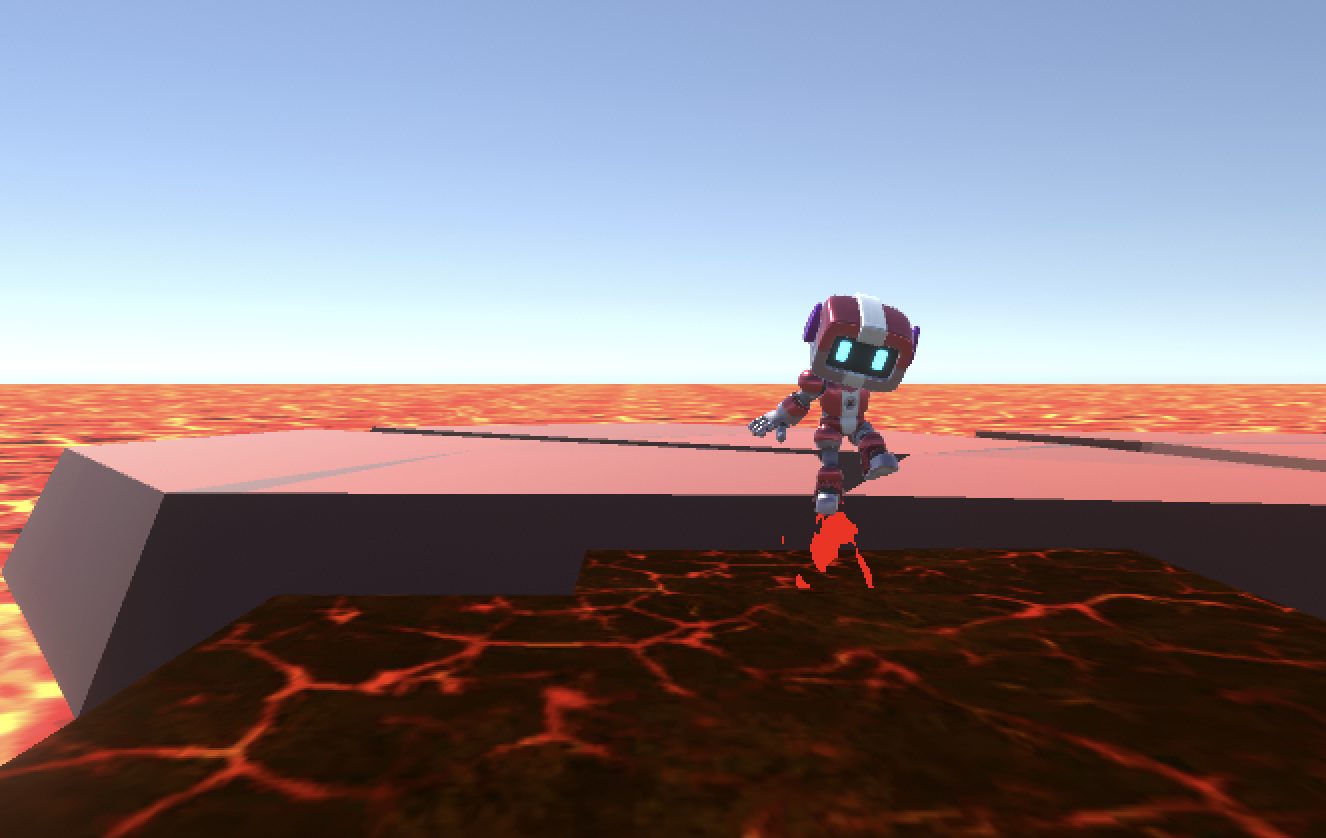
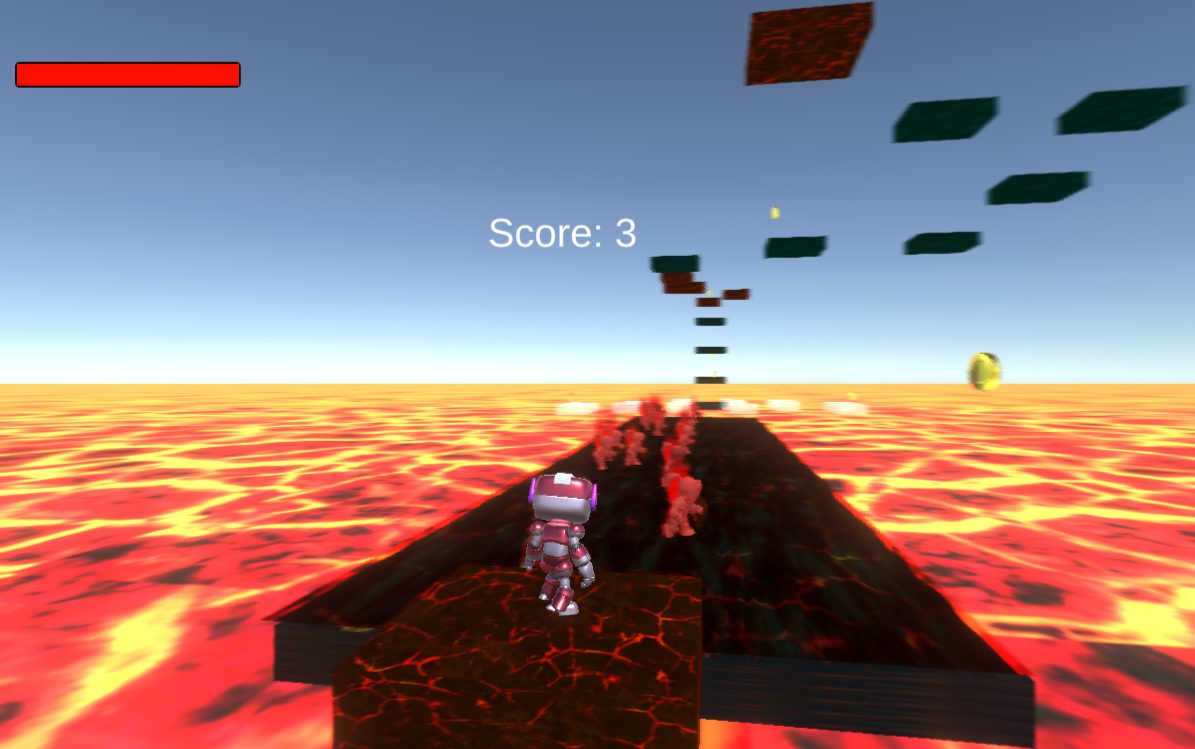
3D Unnamed Platformer is a simple one level platforming game and is more of a prototype in nature, meant to show off technical implementations both in-game and in-engine.
Itch.io: https://matchagatcha.itch.io/3d-unnamed-platformer
Design Process
While the project is mainly to experiment with various tools such as with UI Toolkit, Shaders, and the Unity animation, there still was heavy intention to make the one level slice a fun one to go through in order to create a cohesive experience on the front end. Since we were working in an intro cutscene, there was a bit of a story added to spice up this otherwise narrative-lacking game.
The story is as follows: A robot finds themselves thrust in a fiery, brutal landscape. With nowhere to go besides forward, they press on, narrowly dodging bursts of flames, leaping over certain doom and weaving between the slashes of flaming knight elementals. As they reach towards the sight of strange platforms, an unexpected geyser bursts underneath, lighting our poor robot aflame until they plummet into the lava below. Our robot protagonists finds themself falling from the sky once again, and lands in the same beginning area, tasked to try once more.
On the back-end, since we worked with creating tools for the UI, I tried to create mines with the mindset of being in a much larger team than just the two of us. The platform window was designed to be easy to use, so that a non-programmer could layout level slices with great customizability in no time. Though, I do think that the custom editor window could be a bit more polished, it currently doesn’t support multi-behavior platforms so you would have to go in the inspector and manually add the second script so someone unfamiliar with the engine could miss out on that extra depth of interactivity. Additionally, the warning signs could be made to only appear on attempting to make the platform without the proper parameters.
As for the actual game design, I created zones in order to show off the functionality of each mechanic, and stuck to the idea of short and sweet overall. The level starts with a large broad platform, where players could get a feel for moving and jumping, the only two controls allotted to them. Then after some simple leaps, the path diverges into two different branches. One with much smaller platforms and greater degree of difficulty and length, and one more lenient and faster. The tougher path offers more coins, but can easily take a life or two off the player. Additionally, the coins remain in the players inventory even after falling, so if one wanted to collect all of them, but failed later on in the course, the easier path provides an essential simple way to regain lost progress even after completing the harder path. Moving onto the next portions, the hallway of enemies is a large dodging section, while the ghost platforms have a large amount of jumps for players to keep players on the move. The mushroom platforms offer verticality for some directional freshness, and the moving platform challenges players to track their movement with an independent object.
To compliment the health system of the player, visuals in the form of a growing black blur makes it more difficult upon health loss, making mistakes snowball into a potential game over. Upon retrospect, the visuals are quite intense in the more injured phases, making the punishment less fair and more frustrating, so if I were to re-visit the game that would definitely be tuned down a bit. Overall, a lot could be said about a lot of the haptic feedback in the game. The SFX is also quite loud in contrast to the music, making for a jump scare, and the velocity upon jump start is quite instant, making for movement much more biased vertically. The biggest criticism I hold towards the project is the mouse control for the player. We forgot to lock the mouse, meaning it can move off window and the player would lose control when it does, additionally, the camera sensitivity is quite low so players will often have to re-position their mouse, preventing too much dynamic movements lest they lost control and plummet to a game over.
Implementation
At first it was a simple establishment of the core mechanics and simple structures. I set up the scoring system with the coins using delegates in a publisher-subscriber pattern to avoid any tightly coupled systems. This allows for the sound SFX, textures, prefabs, and anything else involved to be missing without crashing the game on start-up.
Something much more interesting, is the making of the different platform behaviors. In the finalized project, there are 4 various behaviors for platforms; bouncy ones, moving ones, rotating ones, and disappearing ones. Where it goes a bit further however, is that I made a custom editor window using UXML and USS for Unity that spawns and generates them with ease.
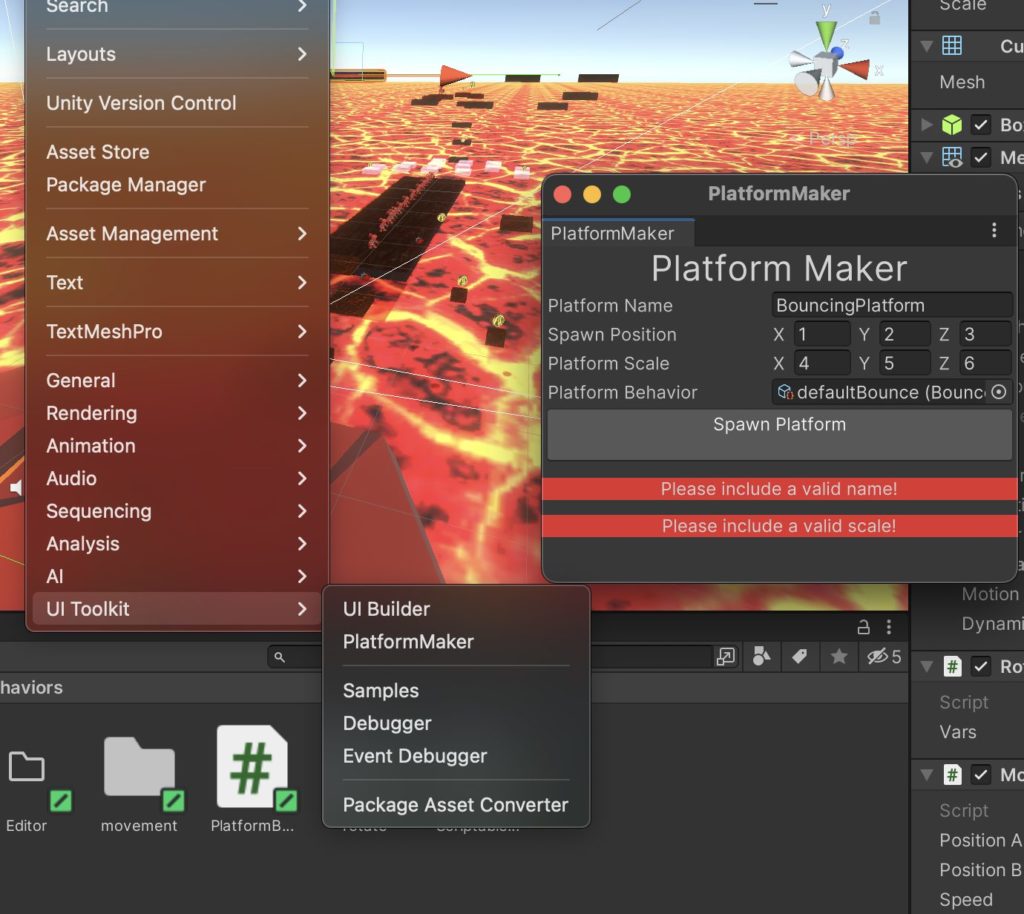
The image on the right showcases how the window looks when accessed in the UI Toolkit tab in Unity. The window provides a quick and simple way to make a square platform with the following steps.
- PlatformName will name the created GameObject
- SpawnPosition set its coordinates on creation
- PlatformScale affects the dimensions
- PlatformBehavior determines in-game physics, needs a scriptable object to be put in.
- The Spawn Platform button finalizes it and creates a new game object, but won’t work without a name and scale
- Without a set position behavior and position, it will spawn a square at 0,0,0.
Platforms are able to be more complex by manually going in the inspector and adding more behaviors, but the window serves as a quality of life tool in mass creating platforms. I developed this tool before we created the level, and it made the scene creation feel seamless.
Actually creating the window itself was quite demanding however, and put me through quite the ordeal to get it running. But eventually I decided to use scriptable objects in order to hold the behavior data. All behaviors are extensions off the abstract class PlatformBehavior which has no functions except for initializing, but serves as a wrapper for me to define what they are.
Each behavior then has a scriptable object that derives from PlatformBehavior, and is a holder for all the necessary variables for functions. For example, scriptable object disappearingBehaviorVars holds disappearingDelay, reappearDelay, and fadeDuration variables that are all settable by the user. All these
Then I made a script that contains all of the behaviors functions. Disappearing platforms have disappearingObject.cs. This script would uses variables from disappearingBehaviorVars and so needs to have one assigned. The reason I needed to separate variables and functions is that the functions weren’t able to reference some key gameObject data they needed in a scriptableObject script.
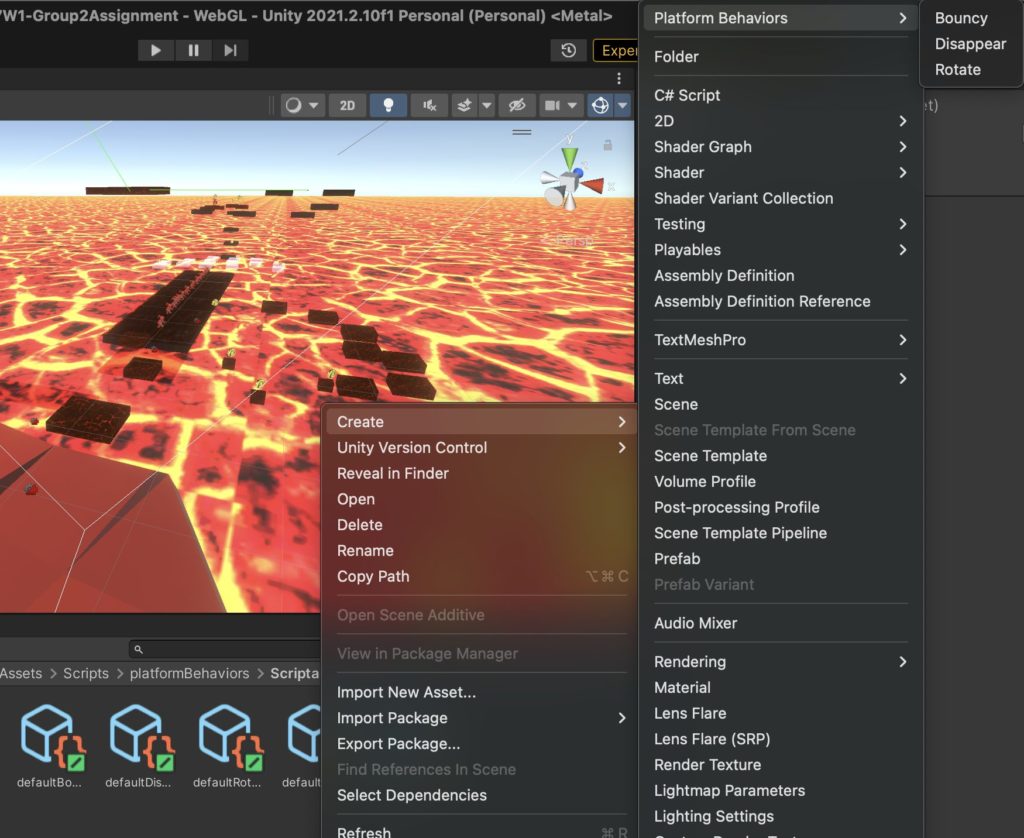
So in order to fill out the Platform Behavior field in the editor window, a user would first need to create a varsObject for their according behavior. I made default behaviors, but this made it easier for creating a field of similar platforms that needed different variables i.e bouncy vs super bouncy platforms.
Afterwards, you would insert the variable scriptable object into the editor window, where the initialize function would attach the appropriate script, and would insert the variables into that script.
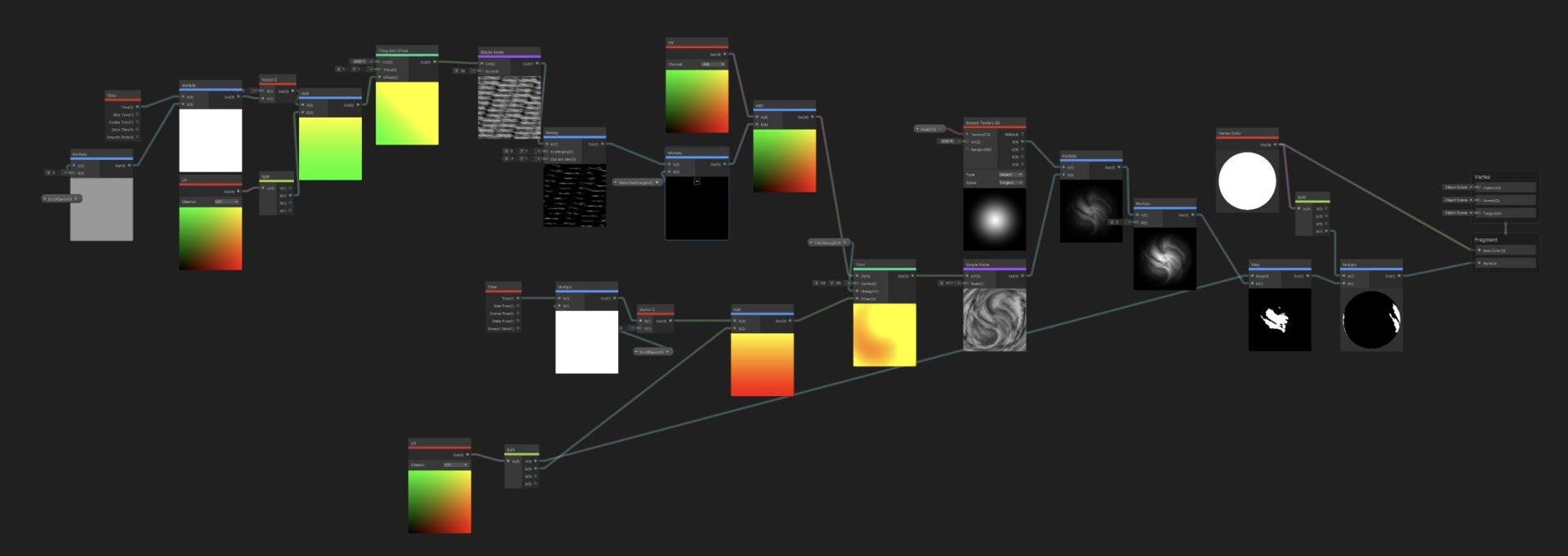
The other significant system I worked on in this project was purely visual. I worked on creating shaders for the various objects and characters using ShaderLab and HLSL. I used these to define texture, color, shine and such for almost everything in the game. The below image was the ShaderGraph I made in order to create the fire geysers.
Some textures I coded via HLSL includes the coin, the fire elementals skin, and the ghost-like look of the disappearing platforms. Additionally, I also used the particle system to create a flame aura on the flame elementals.
With the graphics, sound and visuals implemented, the only thing left we had to do was make the beginning cutscene. We both worked on the intro movie together using the Unity animation tools, and used a signal to trigger it on game start.